Getting a Grip on GRC — Part 3 of 5
What is already in place?
Part 3 of a five-part practical series for smaller organizations and the consultants who serve them.
The challenge: the two opposite illusions
After Parts 1 and 2 you know what you are protecting and what could go wrong. The natural next step is to look at what you are already doing about it. This is the part where most smaller organizations fall into one of two opposite illusions.
Illusion one: we don't really have anything in place. This usually shows up at companies that have never formalized their GRC. They assume that because nothing is documented, nothing exists. In reality there are usually firewalls, password policies, MFA on the main systems, backups running quietly somewhere, an antivirus package, an employee who informally watches the logs. There is more there than people think — it just hasn't been written down.
Illusion two: we have all the basics covered. This is the IT manager's version. Everything looks fine from the inside. Backups run. MFA is on. The vendor portal says "secure." The truth tends to emerge under questioning: backups have never been restored, MFA exempts a handful of admin accounts, the firewall ruleset hasn't been reviewed in three years.
The honest middle ground is the only useful place. You probably have more than you think — and most of it is less effective than you assume. Step three of a serious GRC effort is to get an unflattering, accurate picture of what is in place today.
This article is the most uncomfortable one in the series. It is also the one where smaller organizations get the highest immediate return on a few days of work.
Step 6 — Look honestly at the existing measures
Walk through every layer of the company and write down what is currently mitigating risk. Don't judge yet. Just inventory.
A useful structure is to walk through the categories that match well-known control frameworks: identity and access, endpoint, network, cloud, applications, data, backup and recovery, monitoring and logging, incident response, physical security, supplier management, awareness, governance. For each, ask:
- What is in place?
- Who runs it?
- When was it last reviewed?
- Is there evidence it works?
You want concrete answers like "MFA is enforced on Microsoft 365 for all users except three legacy service accounts; reviewed in February by the IT lead." Not "we have MFA."
A pragmatic tip: do this with the IT operational staff in the room. They know where the truth lives. They also know which measures are theoretically in place but practically rotting. If you get them to talk honestly — and you protect them from being shot for it — you will learn more in two hours than in any formal questionnaire.
Step 7 — Compare against basic hygiene
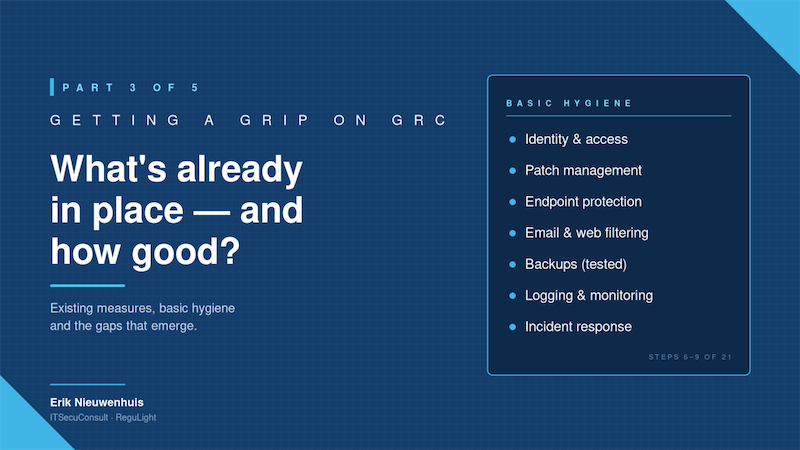
Now hold what you have against a basic hygiene baseline. There is no need to invent one. Several public frameworks (CIS Controls, NCSC Cyber Essentials, the RGL Security Framework I publish for free, and similar) describe what good baseline hygiene looks like for any small organization.
Things like:
- Asset inventory and ownership
- Identity and access with MFA on everything that matters
- Patch management with measurable cadence
- Endpoint protection on every device
- Email and web filtering
- Backups, with tested restores
- Logging and basic monitoring
- Incident response runbook (even a one-pager)
- Supplier list and basic supplier due diligence
- Employee onboarding and offboarding hygiene
Smaller organizations rarely have all of this. Larger ones rarely have all of it actually working. That's normal. The point of this comparison is not to grade yourself on a scale. It is to see, in fifteen minutes of work, where the obvious gaps are.
Step 8 — Recognize that hygiene improvements pay off immediately
This is the optimistic part of the series. Many of the gaps you will find are cheap to close and immediately reduce risk. Closing the MFA exemption on the three legacy admin accounts is a one-day project that meaningfully drops your residual risk on credential-theft scenarios. Testing a backup restore costs you a Saturday morning and either confirms you are safe or surfaces the most important problem in your company before an attacker does.
Smaller organizations often defer these basics because they imagine GRC as a big-bang program. It isn't. The largest reductions in residual risk almost always come from the unglamorous baseline. Recognize that, and you can start showing measurable progress in weeks, not quarters.
Step 9 — List the gaps, in plain language
The output of this whole exercise is a clean list of gaps:
- what should be in place but isn't
- what is in place but is ineffective in practice
- what is in place and effective but not documented
Write each gap in plain language, with the IT staff who know the system. Resist the temptation to wrap them in jargon. "We have no formal process to remove leavers' access within 24 hours" is more useful than "Identity lifecycle management gaps in line with ISO A.9.2.6."
You will use this list in Part 4, when you start formally registering controls and issues. For now, it is the honest mirror that the rest of your program needs.
Where ReguLight fits
Three things make this step easier with ReguLight, and harder without it.
First, the RGL Security Framework — 95 controls, free to download from regulight.eu, gives you a ready-made hygiene baseline to compare against. You don't have to invent or buy one. Import it, and you have a structured checklist of what good looks like for a small organization.
Second, ReguLight forces honesty about effectiveness. Every internal control has an Optimal Effectiveness rating (the CRRF — Control Risk Reduction Factor) that you set yourself, deliberately, when you register it. The act of typing in a number forces the conversation: "is this really 90% effective, or is it more like 60%?" You will be surprised how often the honest answer is the lower one.
Third, ReguLight makes gaps visible as issues, not as failures. Every gap you find becomes an issue in the system, with its own status, owner, and link to the control or risk it concerns. The list of gaps stops being a depressing document and becomes a tracked backlog you can work through.
This is exactly the moment where smaller organizations need a tool that imposes structure without imposing complexity. That is what ReguLight is for.
Up next in Part 4
You now have an inventory, a risk picture, and an honest list of existing measures and gaps. In Part 4 we move from thinking to registering — putting risks, controls and issues into a proper structure that you can manage and report on.
Erik Nieuwenhuis is the founder of ITSecuConsult and the developer of ReguLight, a lightweight GRC app for macOS, available on the Mac App Store.