Getting a Grip on GRC — Part 5 of 5
Closing the loop
The final part of a five-part practical series for smaller organizations and the consultants who serve them.
The challenge: GRC as a project versus GRC as a rhythm
If you have followed the series this far, you have done something most smaller organizations never get around to. You have an inventory. You have a risk picture. You have an honest view of what is in place and what is missing. You have it all registered, connected, and computable.
It is tempting to declare victory here. Many companies do. They publish the policy, present the dashboard, get the auditor's nod, and quietly move on. Twelve months later the dashboard has not been touched, the controls have drifted, and the risk register reads like a museum exhibit.
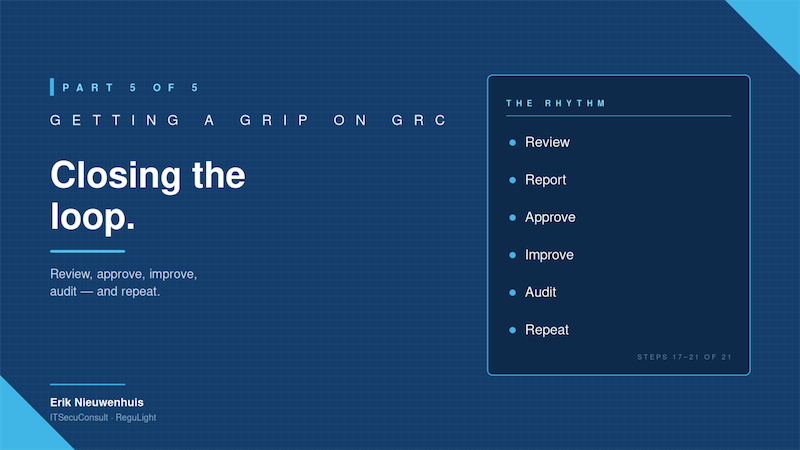
That is GRC as a project. The whole point of a program is that it becomes GRC as a rhythm. A modest, recurring rhythm; review, approve, improve, audit, repeat; that takes a few hours a month and keeps the picture honest.
This last article is about the operational discipline that turns the work of Parts 1 to 4 into something lasting. It is not glamorous. It is the quiet difference between a real GRC program and an expensive piece of theater.
Step 17 — Review the posture and report to management
Once your risks, controls and issues are registered and linked, the first habit to build is reviewing the picture. Open the risk dashboard. Look at the heatmap. Look at the controls with declining effectiveness. Look at the open issues and which risks they touch. Look at what has changed since last month.
Then translate it into something a non-specialist board member or owner can absorb in five minutes. The most common mistake here is reporting in GRC jargon. Boards do not want to hear about CRRF or framework coverage percentages. They want to hear: what are our top three risks today, are they getting better or worse, and what do you need from us?
A good monthly or quarterly status report has three sections: the picture (top risks, trend), the work in progress (which improvements are running, which are stalled), and the asks (decisions, budget, prioritization). Keep it to a single page. The richer detail belongs in the underlying tool, not in the report.
Step 18 — Get approval for improvements
Improvements only happen when someone says yes to them. The act of formally proposing improvement actions to management, and getting an explicit yes or no, is the single most underused mechanism in smaller organizations. Without it, every gap quietly becomes the security officer's personal frustration, and nothing moves.
A good monthly cadence is to bring two or three concrete improvement proposals each cycle. Each proposal references the risks it reduces, the issues it closes, and the rough effort it takes. Most will be approved. Some will be deferred with a clear reason. The ones that are deferred should be visible in the risk picture, so that the deferred decision lives on the books, not in someone's inbox.
This step is where GRC becomes genuinely useful to the business. You stop being the person who says no to things and become the person who connects security work to business decisions.
Step 19 — Improve, raise effectiveness, reduce risk
Now you actually do the work. Issues are closed. Draft controls become live controls. Control effectiveness ratings go up. Residual risk scores drop. Backups get tested. MFA exemptions get removed. Suppliers get reviewed. The leavers process gets a checklist....
The thing to watch here is visible movement. If your tooling shows residual risk dropping as work completes, the program funds itself. People, including management, keep paying attention to things that visibly move. They stop paying attention to things that don't. Make sure the picture moves.
Step 20 — Run audits and register findings
When the basics are running, start auditing yourself. Internal audits first, before any external party. Pick a control area, design a small set of audit questions, walk through the evidence, and record what you find. Some findings will confirm that things are working. Others will surface issues you didn't know you had.
Each audit finding gets registered with a severity, an owner and a status. Where remediation is needed, escalate the finding into an issue and link it back to the affected internal control. The closed loop is observation → finding → escalated issue → remediation. Done well, the first internal audit is more valuable than several quarters of dashboards, because it tests the difference between what you think is in place and what is actually in place.
External audits, when they come, then become much less stressful. You are not preparing for an audit; you are sharing the picture you already maintain.
Step 21 — Plan, do, check, act
The cycle that holds everything together is the unglamorous one your quality colleagues have been talking about for decades: plan, do, check, act. In a GRC context it looks like this. Plan: you set your improvement priorities for the period. Do: you execute them, raising effectiveness and reducing residual risk. Check: you review the picture, run audits, look at issues and findings. Act: you adjust the plan based on what you learned and start the next cycle.
For smaller organizations the cadence does not have to be heavy. A quarterly review is usually enough, supplemented by lightweight monthly check-ins. The goal is not to generate paperwork. The goal is to keep the picture honest as the business changes.
Where ReguLight fits
This last step is where ReguLight earns its keep over time, not on day one.
The Risk Dashboard, Compliance Dashboard and Priorities List give you the live picture you need for review and reporting, without a single spreadsheet. The reporting module produces clean PDF deliverables for management and audit: Risk Overview, Compliance Statement, Issue Analysis, Task Analysis, and the Audit Analysis Report from the Audit module.
The Audit module itself, introduced in version 2.0, is built around exactly the closed loop described in Step 20. You define an Audit, structure it in Audit Sets, record severity-rated Findings, and escalate the ones that need follow-up directly into Issues, which then link back to the controls you registered in Part 4. The whole observation-to-remediation chain stays inside one tool, on your Mac, under your control.
For independent risk and compliance consultants, this is also where ReguLight becomes a delivery platform. You can hand over a working GRC system at the end of an engagement, populated, connected, and ready for the client to maintain as their own ongoing rhythm.
Where the series leaves you
Five articles, twenty-one steps, and a single underlying message: GRC for a smaller organization does not have to be heavy, and it does not have to wait! You can start tomorrow with the inventory, work through the picture in a few weeks, and have a living, calculable, reportable GRC program inside a quarter. Without an enterprise platform, an army of consultants, or a budget you don't have.
That is the conviction that ReguLight is built on. Twenty years inside IT operations, security, risk and compliance taught me that the value of GRC is unlocked by structure and discipline, not by complexity. ReguLight is my attempt to put that structure and discipline into a tool that any small company, individual risk & compliance officer or independent consultant can put to work the same afternoon they download it.
If you have come this far, you are exactly the kind of reader ReguLight was made for. Download it from the Mac App Store, load the demo data, and try the first inventory entry. The rest of the picture follows.
Erik Nieuwenhuis is the founder of ITSecuConsult and the developer of ReguLight, a lightweight GRC app for macOS, available on the Mac App Store.